01Overview
RealMax Calculator supports:
- Fractions and long expressions with parentheses
- Addition, subtraction, multiplication and division
- Square, square root and any power
- The constant π
- Percentages, tax and discounts
- A memory variable, M
- Hours, minutes and seconds (and degrees, minutes, seconds)
Screenshots in this guide show the earlier MathBird design. The keys and steps are the same in RealMax Calculator.
02Show the hidden keys
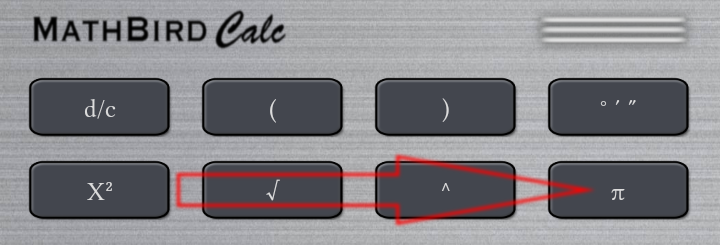
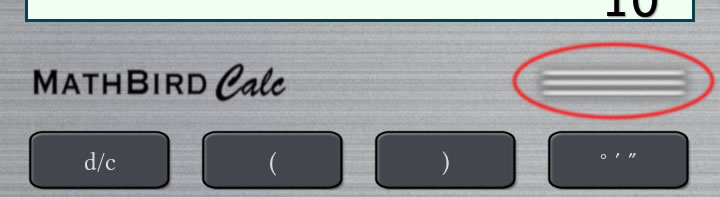
In portrait mode, four keys are hidden to save space. To reveal them, drag a key sideways along the second row of keys, as shown below.
03Fractions
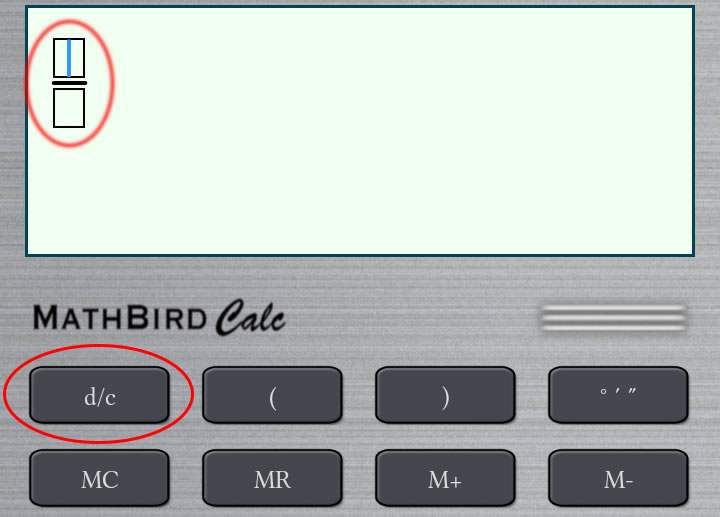
Press d/c to add an empty fraction to the display. Tap the numerator or denominator and type the numbers.
04History
Tap the history button (circled below) to open your history. Select any past calculation to edit and reuse it.
05Percentages, tax & discounts
| Question | Keys |
|---|---|
| 12% of 250 | 250×12% |
| 250 plus 12% tax | 250+12% |
| 250 minus 12% discount | 250−12% |
| 5/6 as a percentage | 5÷6% |
06Last answer
Long-press . to insert the last answer.
07Memory
You can keep a value in the memory variable M with four keys:
| Key | What it does |
|---|---|
| MC | Clear memory |
| MR | Recall the stored value |
| M+ | Add the current value to memory |
| M− | Subtract the current value from memory |
08Clear memory and history
Tap the RealMax logo to open the menu, then tap Clear All.
09Hours, minutes & seconds
The same format works for time (hours, minutes, seconds) and angles (degrees, minutes, seconds). Long-press (*) to type the °, ′ and ″ symbols.
Example: add 2 hours 15 minutes and 3 hours 50 minutes. Enter:
2°15′ + 3°50′
The answer is 6°5′0″, which is 6 hours, 5 minutes and 0 seconds.
Found a problem or have an idea? Contact support. We read every message.