Percentage calculator for tax and discounts.
Add VAT, take off a sale discount or find a percentage without working it out by hand.
Included in RealMax Calculator · Scientific Calculator RealMax · Scientific Calculator Pro
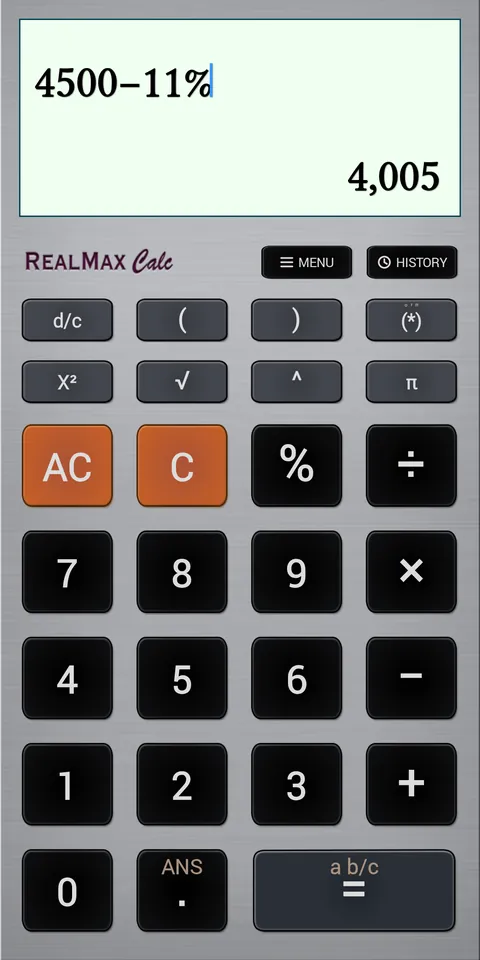
Type 250 + 12% and RealMax adds 12% to 250 for you: 280. Type 4500 − 11% to take an 11% discount off 4500: 4,005. It works the way you think about prices, not the way old calculators made you do it.
Need just the percentage? 250 × 12% gives 30, and 5 ÷ 6 % turns a fraction into a percentage. Perfect for shopping, invoices, tips and household budgets.
Examples
How to use it in RealMax.
- 1To add tax, type the price, then + and the percentage, then %.
- 2To take off a discount, type the price, then − and the percentage, then %.
- 3To find a percentage of a number, type the number, × and the percentage, then %.
Want more detail? Read the Percentages guide →
Good to know.
How do I add VAT or sales tax?
Type the price, press +, type the tax rate and press %. For example, 250 + 12% = 280.
How do I calculate a discount?
Type the price, press −, type the discount and press %. For example, 4500 − 11% = 4,005.
Try the percentage calculator free
Download RealMax Calculator from Google Play. iPhone and iPad versions are coming soon.